
GDS Training
GDS Command Syntax Face-Off: Comparing Sabre, Amadeus, and Travelport Terminal Entries
A side-by-side practical reference for terminal sign-in, flight availability, PNR building, fare pricing, and e-ticketing commands
By Project OTA | 30 Sep, 2026 | 8 min read
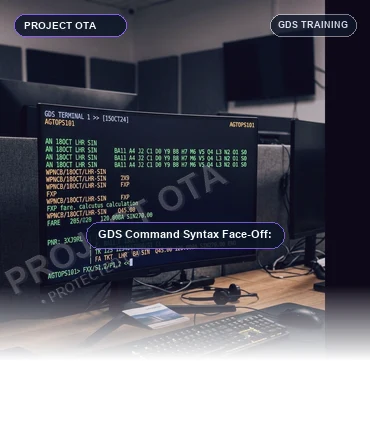
A master side-by-side command syntax guide comparing Sabre, Amadeus, and Travelport. Learn how terminal entries translate across systems for availability, PNR elements, pricing, and ticketing.
1. The Rosetta Stone of Travel: Why Understanding Syntax Differences Matters
Although Sabre, Amadeus, and Travelport share identical underlying IATA data standards—airports, three-letter airline codes, reservation booking designators (RBDs), and electronic ticket coupons—each system was engineered with its own unique cryptic syntax shorthand.
For a professional travel agent, becoming multi-lingual across GDS platforms is a superpower. When an agency expands from a single GDS to a multi-supplier setup, or when an agent moves to a corporate TMC utilizing a different system, understanding how commands map from one platform to another eliminates operational downtime. Here is the definitive operational side-by-side face-off.
2. Session Control, Sign-In, and Work Area Navigation
Before executing any transaction, an agent must authenticate and allocate terminal memory:
Sabre: Sign-in entry is SI* followed by the 4-digit agent ID and passcode (e.g., SI*1234). Sabre features 6 partitioned work areas labeled A through F. To switch work areas, agents enter §B or §C.
Amadeus: Sign-in entry is JI followed by the agent numeric ID and duty code (e.g., JI1234AA/SU). Amadeus provides up to 10 work areas (Areas A through J). Agents switch areas using JM1 or JM2.
Travelport (Galileo): Sign-in entry is SON/Z followed by the agent sign-on code and password (e.g., SON/ZAB123). Galileo utilizes dual window partitions (Window A and Window B) toggled with the TAB or window switch command.
3. Flight Availability and Direct Segment Selling
Displaying neutral airline seat availability is the starting point for booking:
Sabre: The availability command begins with '1'. For example: 120NOVJFKLHR displays flights from New York JFK to London Heathrow on November 20. To filter by airline, the agent appends §BA (120NOVJFKLHR§BA). To sell 1 seat in Y class from line 1, the entry is 01Y1.
Amadeus: The availability command begins with 'AN'. For example: AN20NOVJFKLHR. To filter by airline, the agent enters AN20NOVJFKLHR/ABA. To sell 1 seat in Y class from line 1, the command is SS1Y1.
Travelport (Galileo): The availability command begins with 'A'. For example: A20NOVJFKLHR. To filter by airline, the agent enters A20NOVJFKLHR*BA. To sell 1 seat in Y class from line 1, the command is 01Y1.
4. The 5 Mandatory PNR Elements: Side-by-Side Command Reference
To complete a valid reservation, all three systems enforce the five mandatory PNR elements (PRINT):
Passenger Name: In Sabre, names begin with '-' (-SMITH/JOHN MR). In Amadeus, names begin with 'NM' (NM1SMITH/JOHN MR). In Travelport, names begin with 'N.' (N.SMITH/JOHN MR).
Agency Contact Phone: In Sabre, phone numbers use prefix '9' (92125551234-A). In Amadeus, phone numbers use prefix 'AP' (AP NYC 212-555-1234-A). In Travelport, phone numbers use prefix 'P.' (P.NYC*2125551234).
Ticketing Time Limit: In Sabre, ticketing fields use prefix '7' (7TAU/25NOV). In Amadeus, ticketing fields use prefix 'TK' (TKTL25NOV). In Travelport, ticketing fields use prefix 'T.' (T.TAU/25NOV).
Received From: In Sabre, received field is '6' (6JOHN SMITH). In Amadeus, received field is 'RF' (RFJOHN SMITH). In Travelport, received field is 'R.' (R.JOHN SMITH).
End Transaction: In all three systems, finalizing the file is universally executed with ET (End Transaction) or ER (End and Retrieve), which returns the 6-character PNR record locator.
5. Lowest Fare Shopping, Storing Fares, and Live E-Ticketing
Pricing and issuing tickets is where commercial accuracy is paramount:
Automated Best-Buy Fare Search: In Sabre, WPNCB searches the lowest available fare and automatically rebooks segments into cheaper open classes if available. In Amadeus, FXP prices the booked segments, while FXB automatically rebooks into the lowest open cabin bucket. In Travelport, FQ prices current segments, while FQBB rebooks to the lowest fare.
Storing the Fare Record: In Sabre, the stored pricing record is called a Price Quote (PQ), created via PQ or W¥PQ. In Amadeus, it is called a Transitional Stored Ticket (TST), created via TTC. In Travelport, the stored fare is viewed with *FF.
Issuing the Electronic Ticket: After designating the virtual ticket printer, Sabre issues tickets via W¥PQ#¥KP0 (or standard W¥ ticket issue commands). Amadeus issues tickets via TTP/ET (Ticket Print / End Transaction). Travelport issues tickets via TKP.
Voiding an Issued Ticket: In Sabre, the same-day void entry is WV followed by the coupon line number. In Amadeus, the void entry is TRDC followed by the document number. In Travelport, the void command is TRV.
Frequently Asked Questions
If I master one GDS like Sabre, how long does it take to learn Amadeus?
Once you understand core airline distribution concepts (PNR structures, RBDs, ticketing time limits, fare rules, APIS), cross-training from Sabre to Amadeus or Travelport typically takes only 2 to 3 days of targeted syntax mapping.
Why do command entries differ between GDS platforms?
Because each GDS originated in different decades with different computer architectures (Sabre by American Airlines/IBM, Amadeus by European airlines, Travelport from Apollo/Galileo/Worldspan). Each created its own proprietary operating shorthand.
Which GDS command syntax is considered the fastest for agents?
Sabre is often considered the fastest for pure speed typing because its command prefixes are single characters (e.g. '-' for name, '9' for phone, '7' for ticketing, '6' for received, '1' for availability). However, Amadeus commands (NM, AP, TK, RF, AN) are often praised for being more mnemonic and readable.
Does Project OTA's training cover multi-GDS syntax comparisons?
Yes. Project OTA's 7-day GDS training curriculum includes comparative terminal cheat sheets and hands-on practice across Sabre, Amadeus, and Travelport so your agents are fully cross-trained.
Key Takeaways
- Side-by-side comparison of core operational commands across Sabre, Amadeus, and Travelport (Galileo).
- Learn the syntax mapping for flight availability: 1 (Sabre) vs AN (Amadeus) vs A (Travelport).
- Master the five mandatory PNR elements across all three platforms with exact entry examples.
- Compare automated lowest-fare pricing commands: WPNCB vs FXP/FXB vs FQBB.
- Understand the cross-system mental model that allows certified travel agents to transition between systems seamlessly.
Become a versatile, multi-GDS ticketing master. Enroll in Project OTA's GDS Training Course to gain practical command-line fluency across Sabre, Amadeus, and Travelport.
Talk to Project OTA